Everything you need to run your team, in one place
Fork brings scheduling, time tracking, HR, and engagement together so you can stop switching between tools and start managing your team.
Build and share schedules your team can rely on
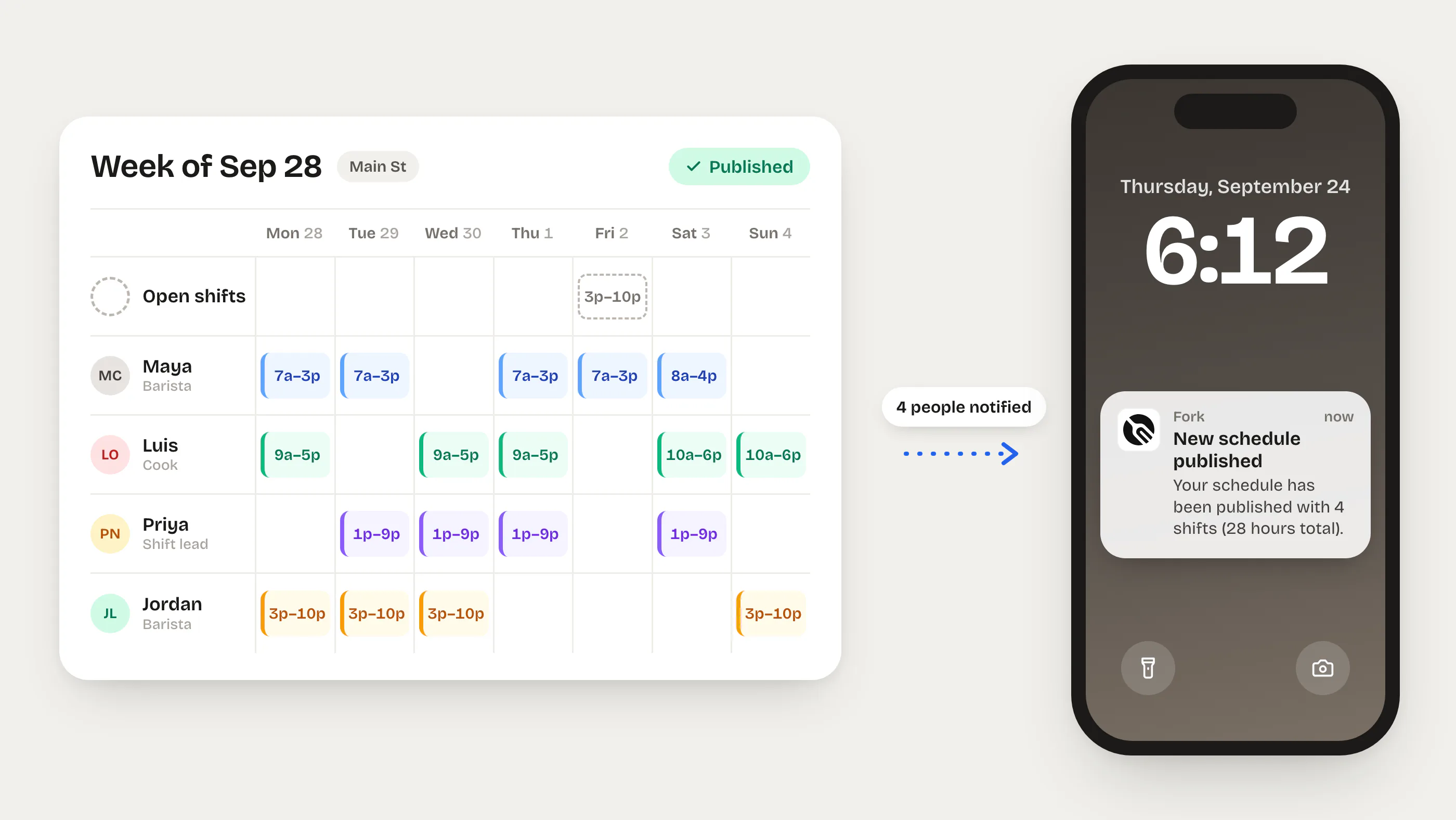
Create weekly schedules in minutes with drag-and-drop. Your team sees updates instantly on web or mobile — no more texting schedules or printing spreadsheets.
Instant schedule publishing
Build your schedule, hit publish, and every team member gets notified immediately. No emails, no printouts.
Always up to date
Edits sync in real time. When you move a shift, your team sees the change instantly on their phone.
Weekly availability
Employees set when they can work. You see availability at a glance while building the schedule.
Shift tasks & notes
Attach checklists and instructions to each shift so your team knows exactly what to do.
Open shifts & shift swaps
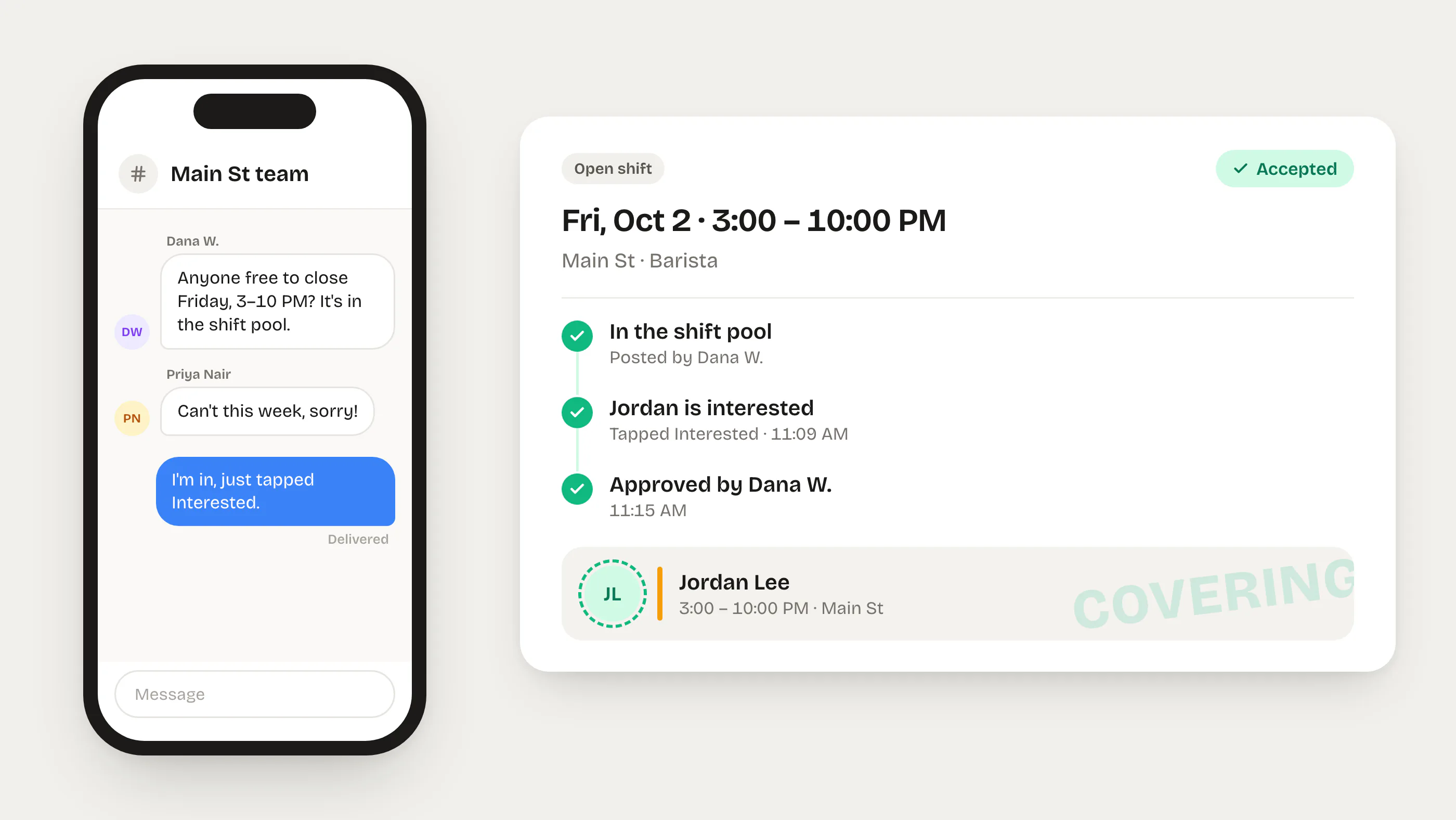
Post open shifts for your team to claim. Approve swap requests with one tap.
Time-off requests
Employees request time off in the app. You approve or decline — and the schedule updates automatically.
Accurate time tracking without expensive hardware
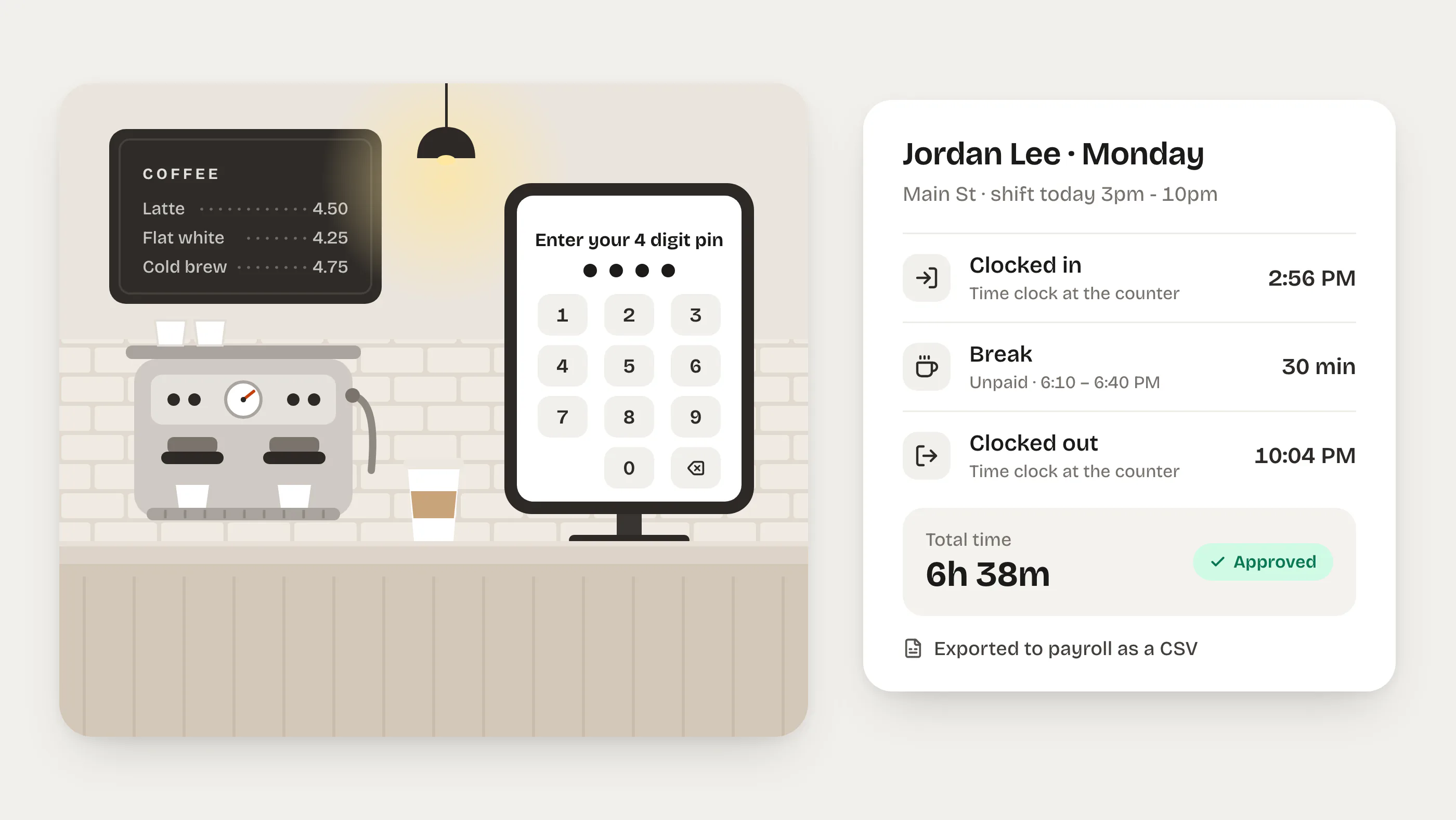
Turn any tablet, phone, or computer into a clock-in terminal. Timesheets are filled automatically and ready for payroll.
Clock-in from any device
Use an iPad, Android tablet, or computer as a clock-in terminal. Assign PINs and go — no costly hardware.
Real-time timesheets
Every clock-in and clock-out is recorded instantly. Managers can review and edit entries at any time.
GPS clock-in
Set up geo-fenced locations so employees can only clock in when they are on-site.
Live team status
See who is clocked in, on break, or clocked out — in real time across all your locations.
Paperless HR that keeps you compliant
Digitize onboarding, manage documents, and handle employment forms — so nothing falls through the cracks.
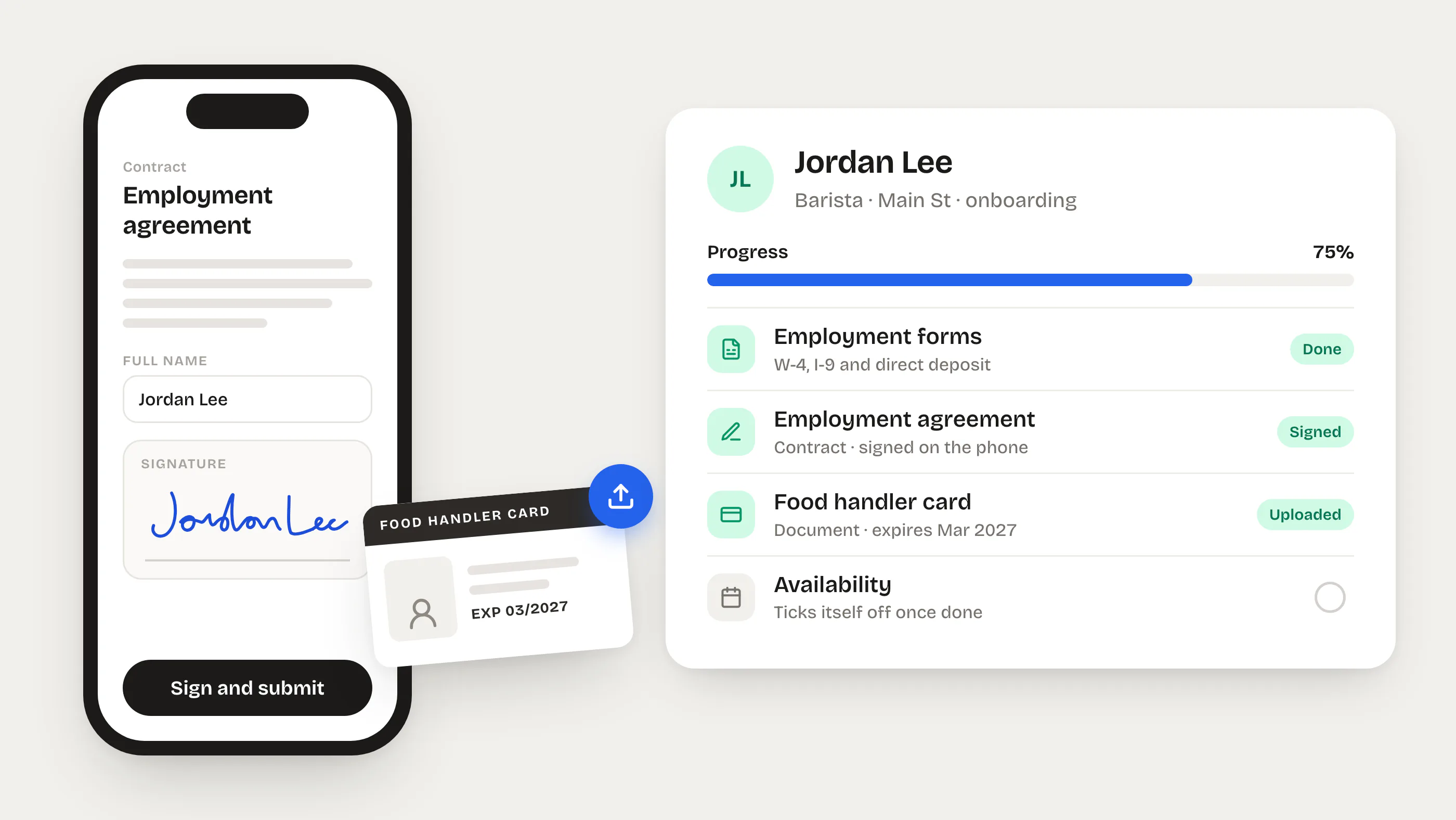
Paperless onboarding
New hires complete W-4, I-9, and custom forms online before their first day. No more chasing paperwork.
Document management
Upload, request, and organize employee documents. Set expiration reminders so certifications never lapse.
E-signatures
Collect legally-binding signatures on any document — right from the app.
Custom forms
Build forms for any HR process using a drag-and-drop form builder.
Incident reports
Document workplace incidents with structured reports. Maintain a safe and compliant work environment.
Termination records
Keep complete offboarding documentation, final notices, and exit checklists in one secure place.
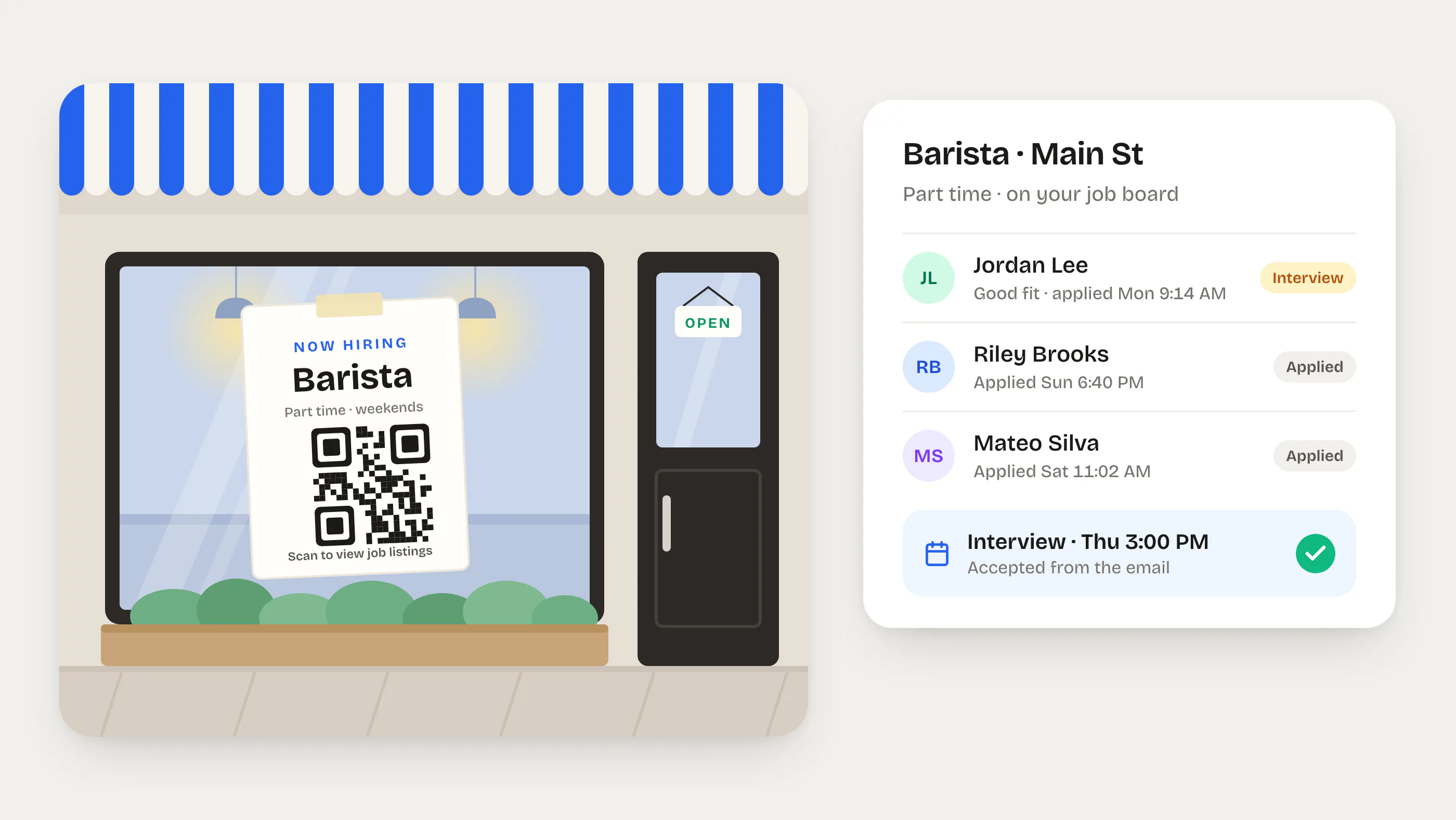
Hiring & job postings
Post openings, track applicants, and move candidates through your pipeline — all in one place.
Keep your team connected, informed, and motivated
Surveys, announcements, recognition, and training tools that reduce turnover and build a stronger workplace culture.
Employee surveys
Create custom surveys or use templates to gather feedback on satisfaction, engagement, and working conditions.
Company updates
Share news, policy changes, and events. Track who has read each update.
Peer recognition
Let team members give kudos to each other. Celebrate wins and boost morale across the team.
Training courses
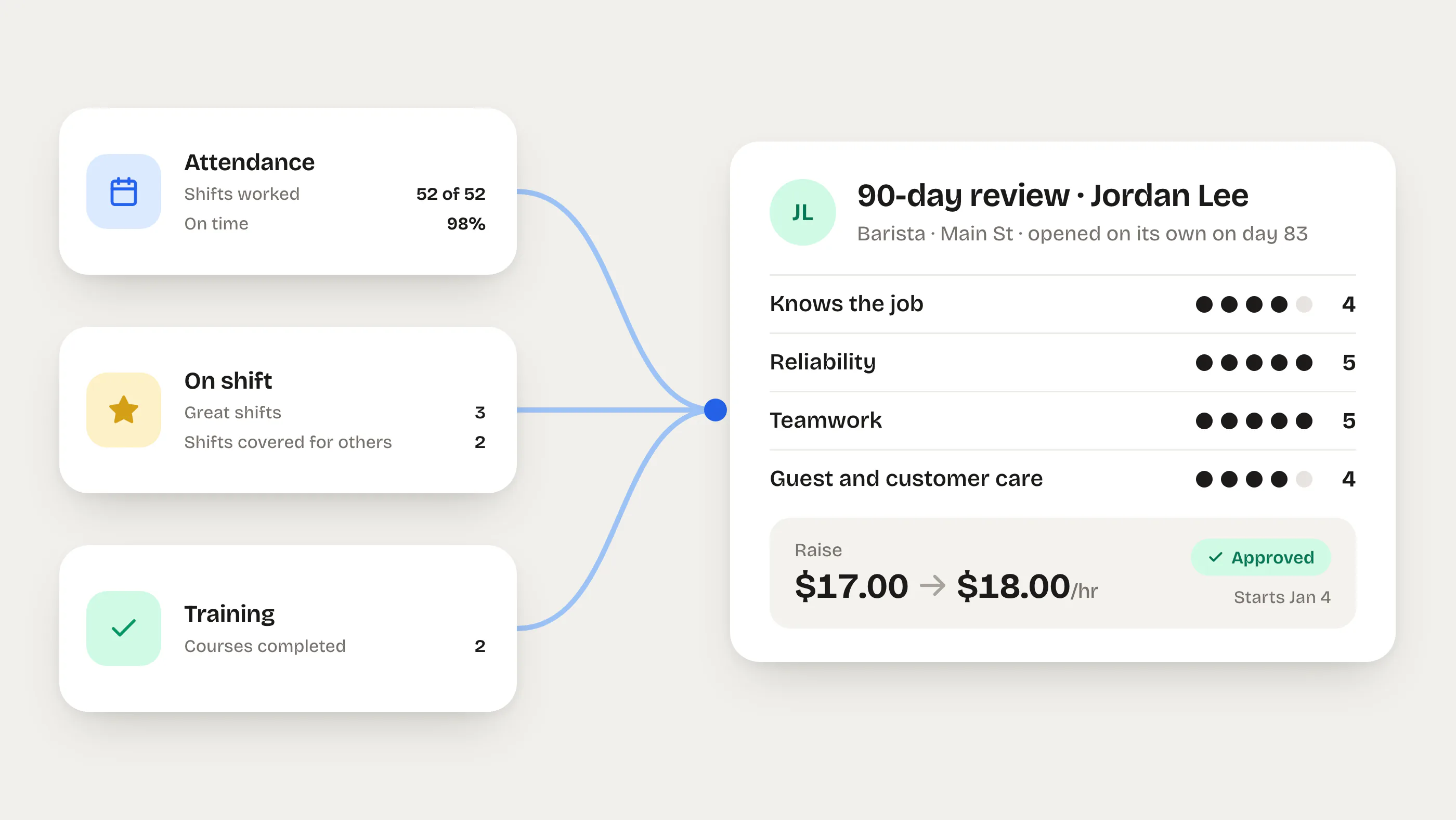
Assign courses, track completion, and make sure every team member has the skills they need.
Shared resource library
Centralize policies, handbooks, and how-to guides. Your team can access everything from the app.
Track equipment issues before they become costly problems
Log maintenance requests, track repairs from report to resolution, and keep a complete history of every piece of equipment across all your locations.
Structured logging
Log issues with category, item, priority, and description. Assign to locations and track status from draft to completed.
Priority levels
Flag issues as low, medium, high, or urgent so your team knows what to fix first.
Cost tracking
Record estimated and actual repair costs. Build a clear picture of maintenance spend over time.
Photo documentation
Attach photos to the issue report and the resolution. Visual proof makes handoffs effortless.
Full audit trail
Every status change is logged with who made it and when — giving you a complete history of every repair.
Vendor management
Record vendor names on each log so you always know who handled the repair.
Give your team instant answers to common questions
Create, organize, and publish FAQs for your company. Employees find answers on their own — and your AI assistant uses them to respond smarter.
Create & manage FAQs
Build FAQ collections with a simple editor. Add questions, write answers, and organize them into groups.
Organized by topic
Group FAQs by title and description so employees can quickly find what they need.
Draft & publish workflow
Keep FAQs in draft until they're ready. Publish when you want your team to see them — unpublish anytime.
Employee self-service
Published FAQs are visible to all employees so they can find answers without messaging a manager.
AI-powered answers
Your published FAQs feed directly into Fork's AI assistant, so it gives accurate, company-specific responses.
Manager controls
Only managers with the right permissions can create, edit, or delete FAQs — keeping your knowledge base consistent.
Reduce waste, track costs, and improve operations
Give your team a fast way to log waste as it happens. Track every item, reason, and cost — then use reports to find patterns and cut losses.
Quick waste logging
Employees log waste in seconds from their phone — select the item, enter a quantity, pick a reason, and submit.
Item catalog
Manage a catalog of trackable items with categories, SKUs, and cost-per-unit. Assign items to specific locations.
Reason tracking
Categorize every waste event — expired, damaged, mistake, end-of-day, burned, or custom reasons — to pinpoint root causes.
Automatic cost calculation
Total waste cost is calculated automatically from item cost and quantity — no manual math required.
Waste reports
View waste by date, location, category, or reason. Spot trends and take action to reduce losses.
Location comparison
Compare waste across locations to identify which sites need attention and share best practices.