Hire from your own job board
Post jobs to your board at jobs.forkhr.com/your-company. Screen applicants with your own questions, summarize resumes with AI, and hire from your phone.
Included from Essential · AI resume summary on Premium
A branded board your candidates actually want to use
Listings carry job data for search engines. Your board has search and filters, in your logo and colors.
Custom URL slug
Your board lives at jobs.forkhr.com/your-company — shareable, bookmarkable, and branded.
SEO-optimized listings
Every posting is crawlable and in the sitemap, with job data for search engines: title, location, employment type.
Branded experience
Your logo, brand color and company description up front, with a small Powered by Fork line at the bottom.
Search and filters
Candidates search your listings by keyword and filter by location, category and employment type.
From a sign in the window to hired
Main St needs a weekend barista. Five moments from the sign going up to Jordan's invite to Fork.
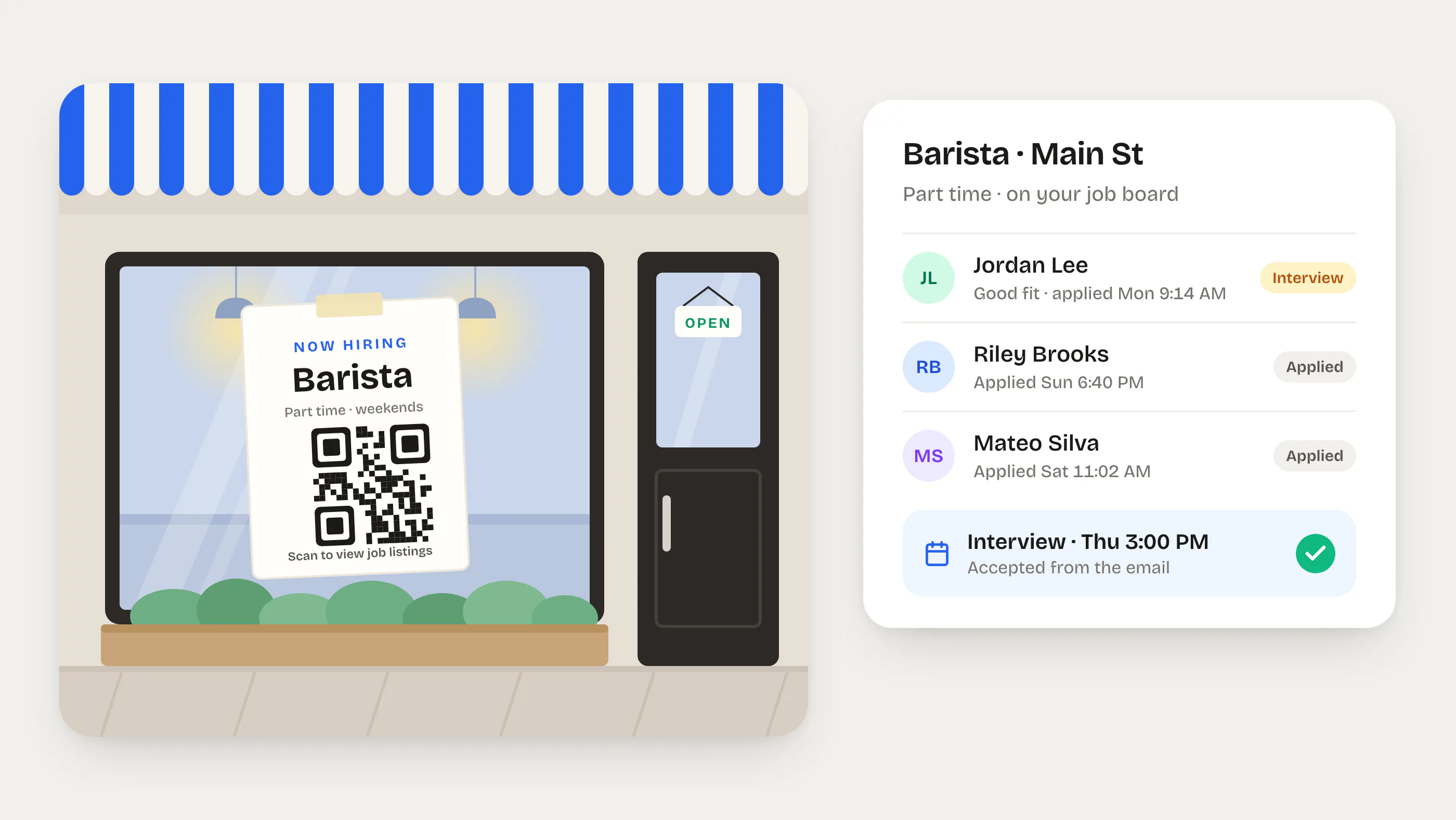
A sign in the window
Fork gives your job board a QR code to print on any sign. It opens every job you're hiring for.
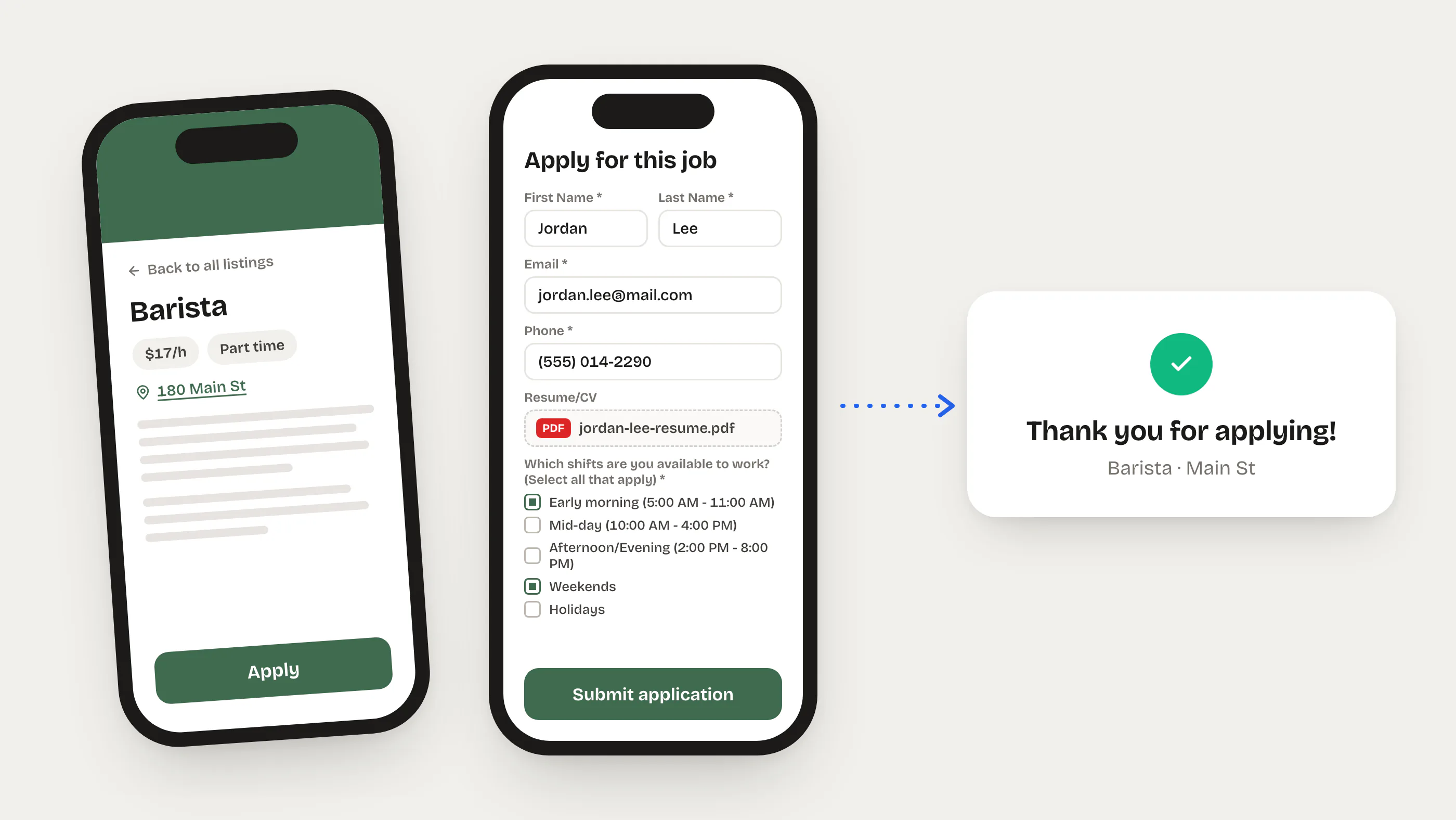
Applied from a phone
Name, a PDF resume and the screening questions, then Submit application. Jordan gets a confirmation email and Dana gets the application.
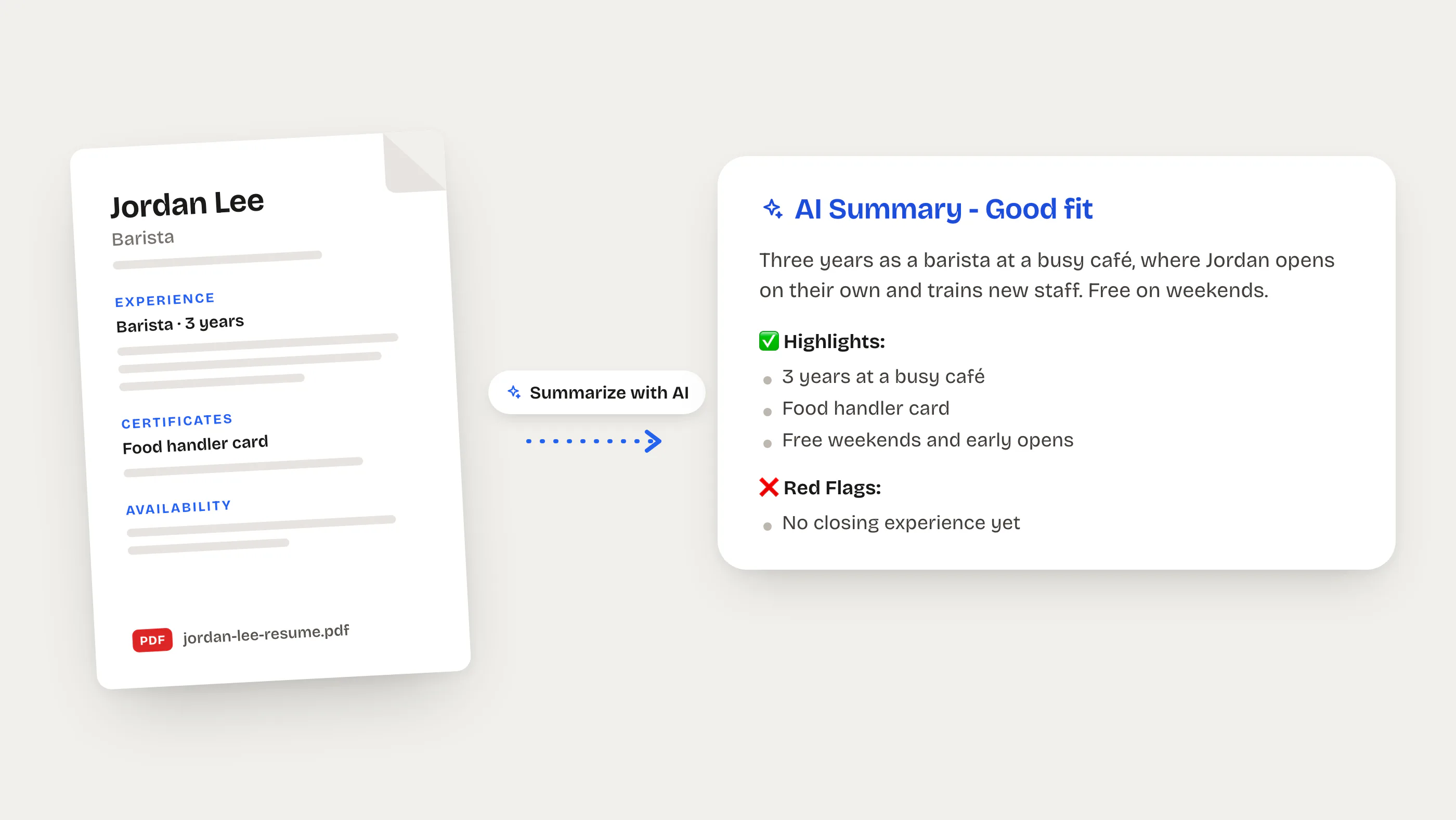
The resume, read for you
Summarize with AI reads the resume and the answers against the job and rates the fit. On Premium.
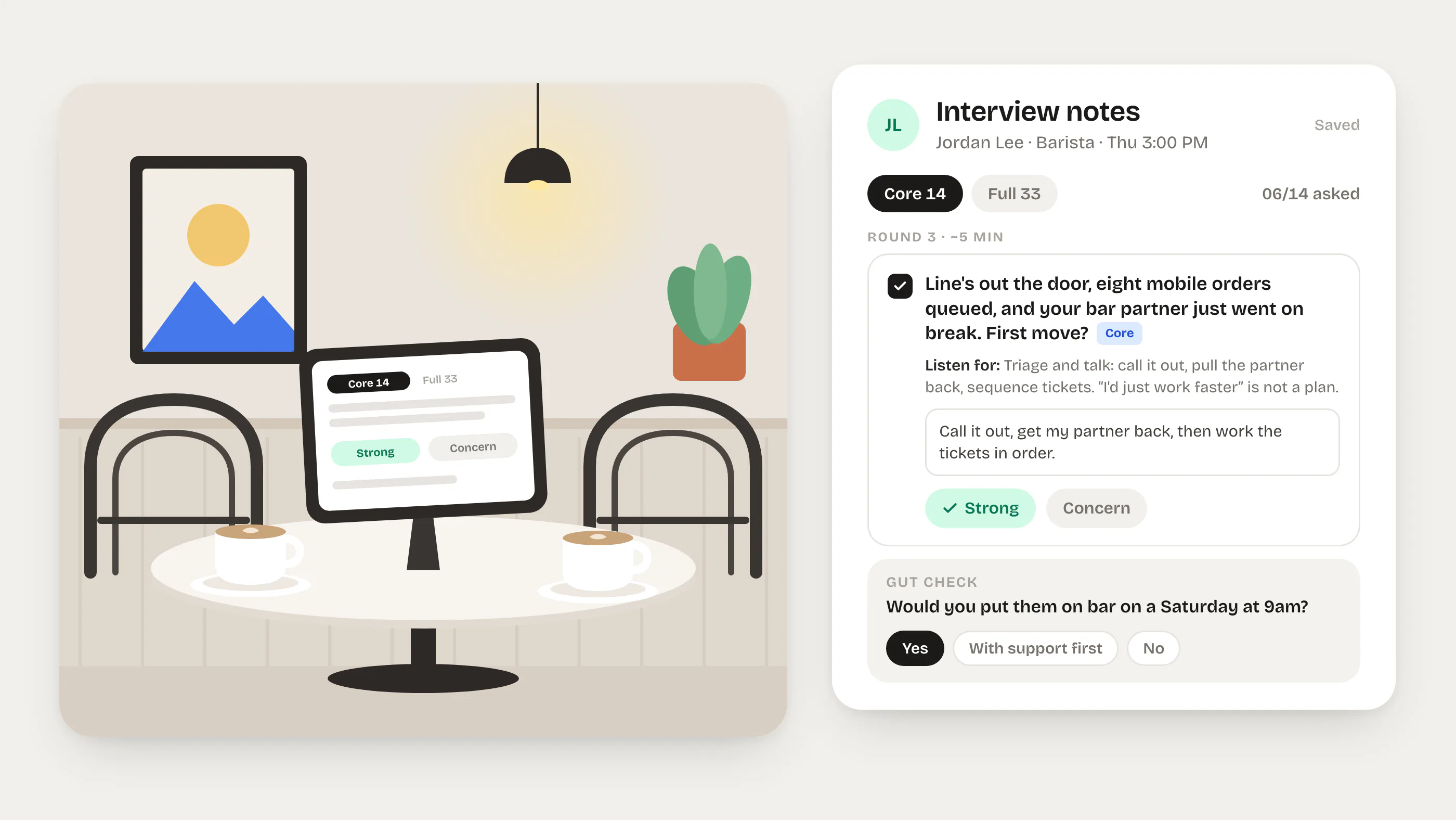
An interview with the guide open
Jordan accepts the invite from the email. Dana asks the core questions, notes what was said, rates each answer and makes the gut call.
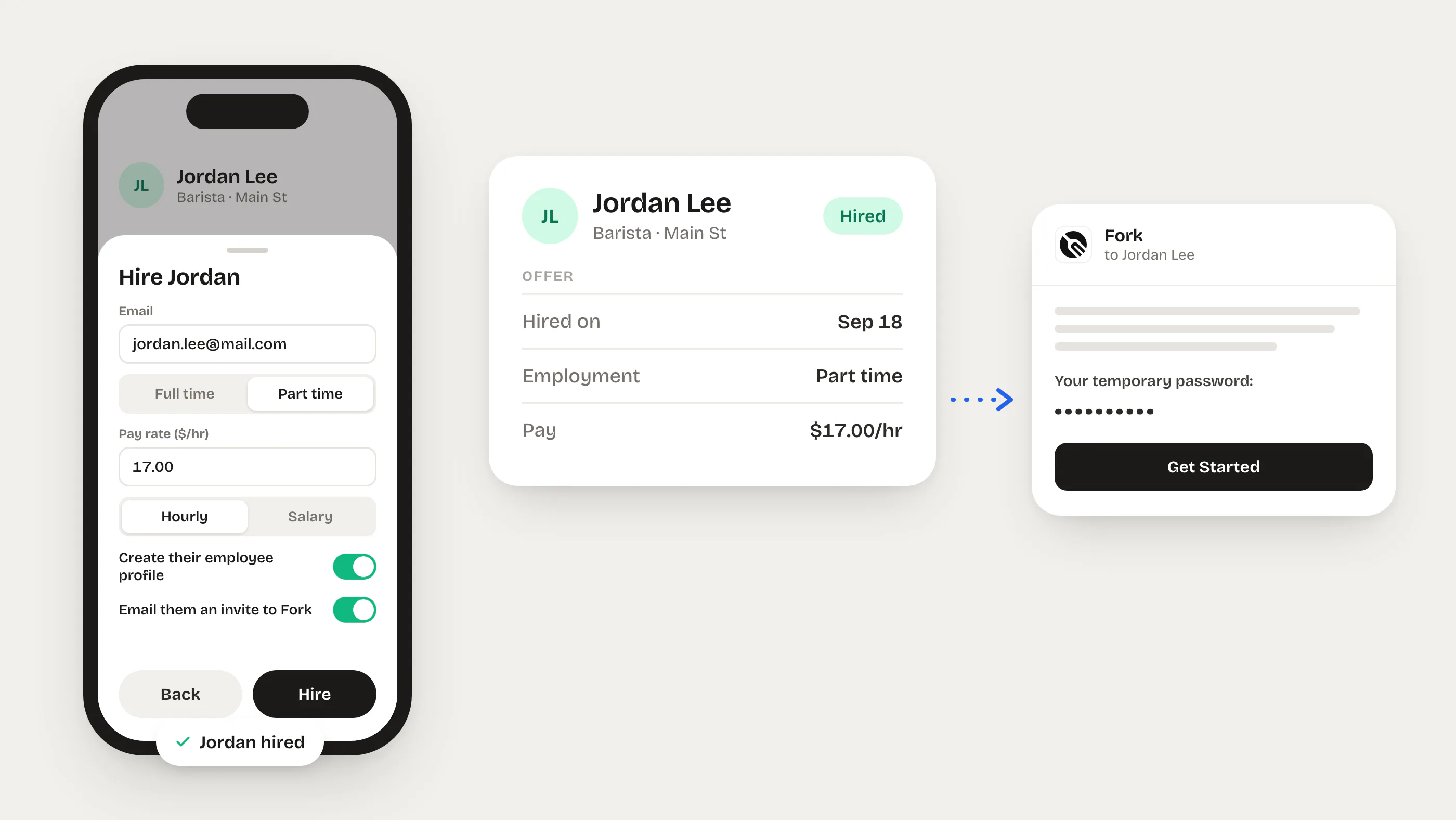
Hired from the phone
One sheet sets the pay and creates the employee profile. The invite to Fork goes out by email with a temporary password.
Four stages from application to offer
Every applicant moves through a clear pipeline. You always know who's where.
Applied
Applicant submits form + resume on your public board
Interview
Schedule it in person or by video. The candidate accepts from the email.
Feedback
Rate each scorecard criterion from 1 to 5 and answer “Would you hire?”
Result
Hire with a profile and an invite to Fork, or reject with an optional email
Candidate emails
A confirmation when they apply and the interview invite with Accept and Decline. You hear about every new application.
Hire → Onboard
When you hire someone, Fork can auto-create their employee profile and send an app invite.
Assign an applicant
Hand an applicant to a teammate. They get a notification and can run the interview notes.
AI reads the resume so you don't have to
Click Summarize with AI on an applicant and Fork reads their resume against the job description. In seconds you get a summary, highlights, red flags and an overall fit rating. No more skimming 50 PDFs.
Filter before you interview
Add custom questions to any job listing. Applicants answer before submitting — so you know who's qualified before you even open the resume.
Scorecards
Set the criteria and how much each one counts. Reviewers rate each from 1 to 5, and the web shows the weighted average.
Pre-built templates for common roles
Don't start from scratch. Pick a template and make it yours: description, screening questions, a scorecard and an interview guide included.
Each template includes a full job description, screening questions, a scorecard and an interview guide.
Hiring that's connected to everything else
Most ATS tools are standalone. Fork's hiring is built into the same platform your team already uses for scheduling, onboarding, and training.
Hire → Employee
Convert an applicant to an employee profile with one click. Auto-create their account and send an app invite.
Permission-controlled
Control who can view listings vs. manage applicants with role-based permissions per position.
Comments & notes
Leave internal notes on any applicant. Collaborate with your hiring team without leaving Fork.
Applicant counts
See how many applicants each listing has attracted at a glance from your dashboard.
Candidate emails
Confirmation emails, interview invites with Accept and Decline buttons, and an optional rejection email.
Resumes on file
Every resume stays on the applicant profile, a click away.