Take orders, run the route, get paid. Your customers never need an account.
Price lists per customer, standing orders, routes with ETAs, invoices with a pay link.
What changes
Orders by text, email and voicemail
One order list
Invoices chased for weeks
Pay link and QR on every invoice
Drivers with a printed list
Stops in order, a photo at each one
Every customer needs a portal account
No account needed
Standing orders that write themselves
Every Monday, 24 sourdough. Generated ahead, emailed for confirmation.
- Price list per customer
- Import from a spreadsheet
- Credits taken off the invoice
Invoices that get paid
Email with a pay link, QR code on the PDF, payout to your bank.
- Terms per customer: prepaid, COD, Net 7 to 60
- Card and US bank transfer
- Paid, failed, refunded synced to the order
Deliver on the best route
Stops ordered on real roads. The driver checks each off with a photo.
- ETA per stop
- Proof of delivery on the order
- Orders move to Delivered as dropped
Drivers, packers and bakers on one schedule
Shifts by route and station. GPS from the van, kiosk at the warehouse.
- Published to every phone
- Team chat by depot
- Production and cold-chain logs (Premium)
From the first drop to the payout
Northside Roasters delivers beans, oat milk and cups to cafés around the city. Five moments from one morning.
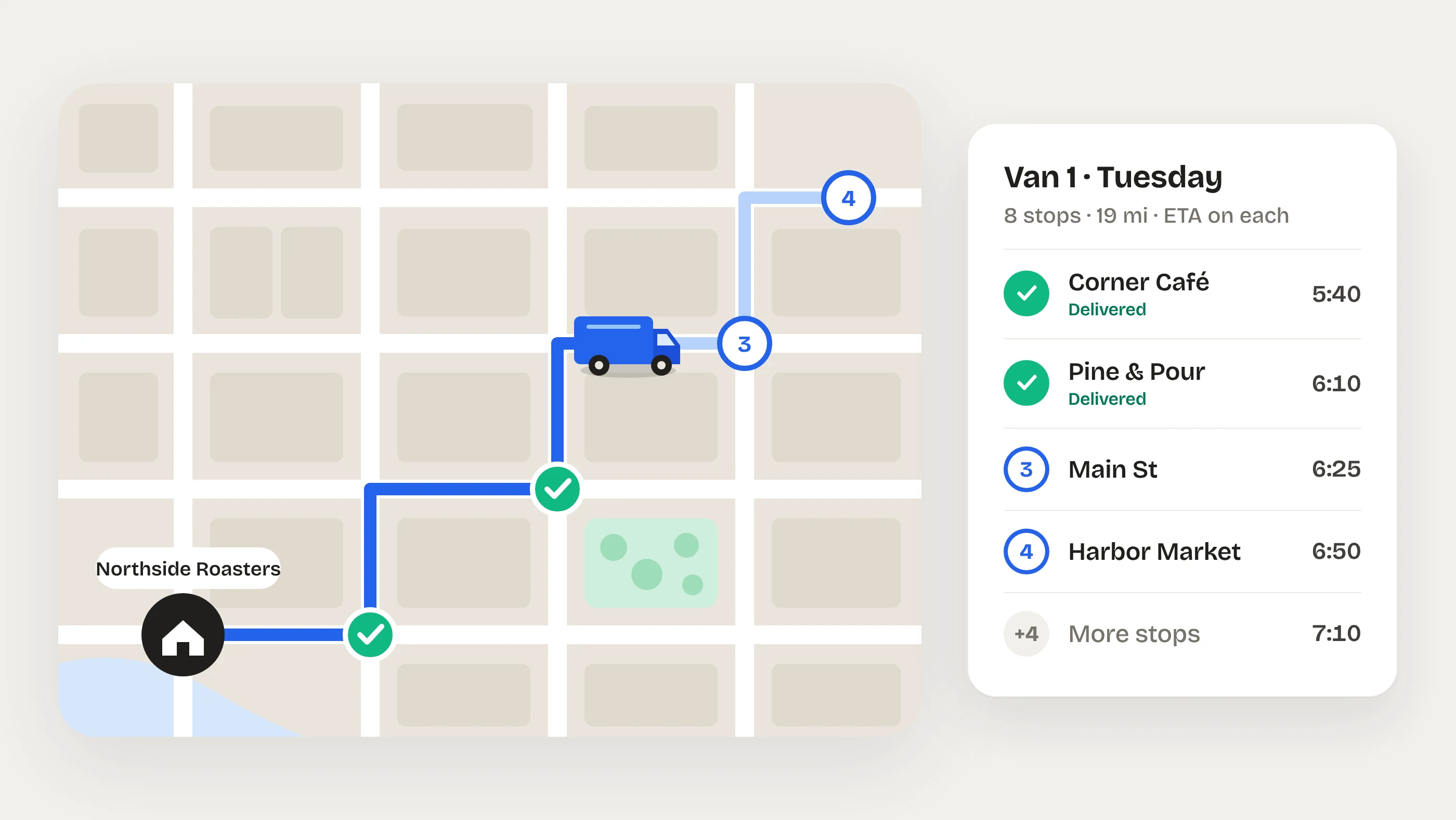
Van 1 rolls out
Stops in order, an ETA for each, and the delivery notes for every stop.
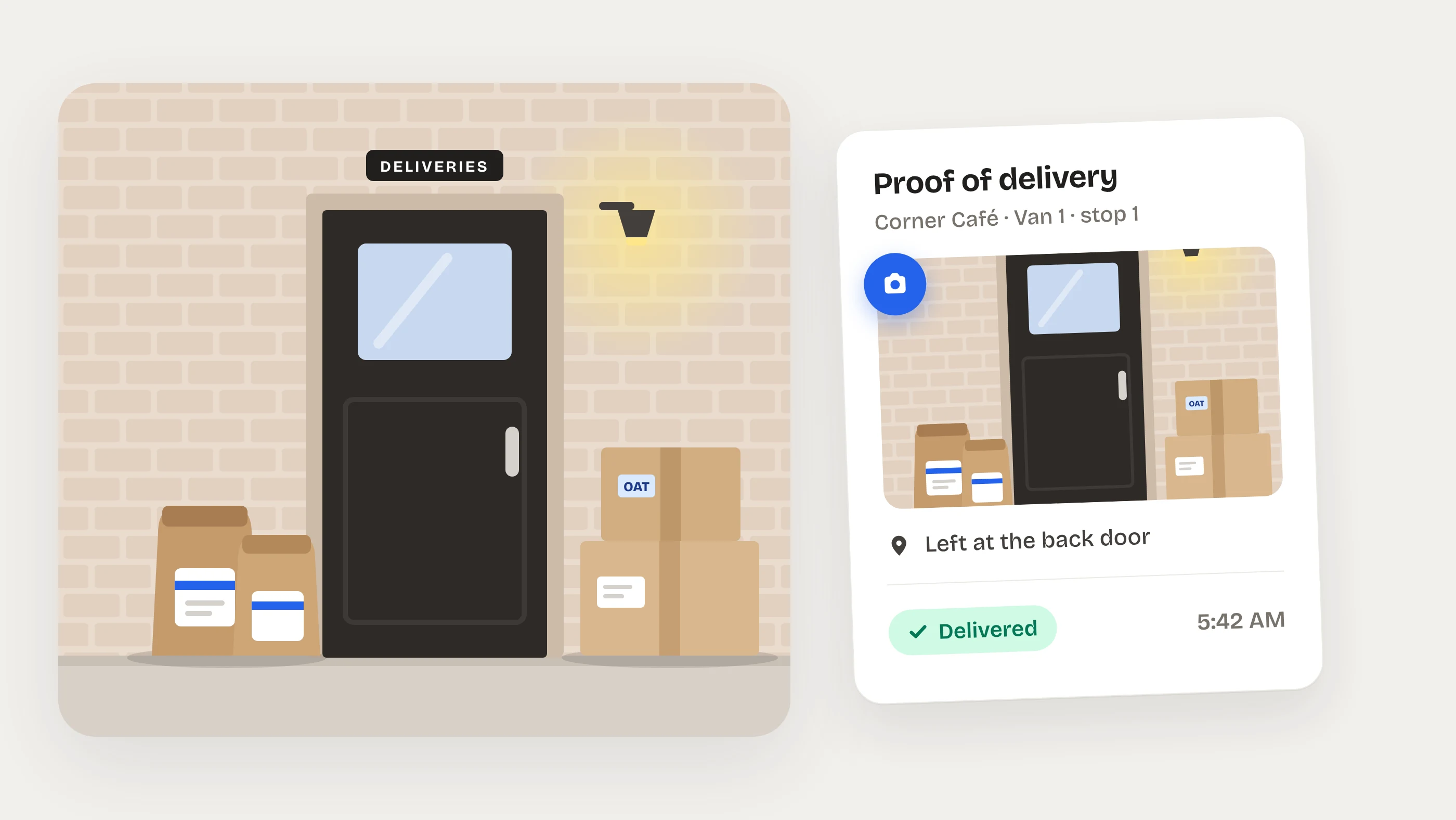
Delivered before anyone is in
A photo at the back door goes on the order as proof of delivery. When someone is there, they sign on the driver's phone.
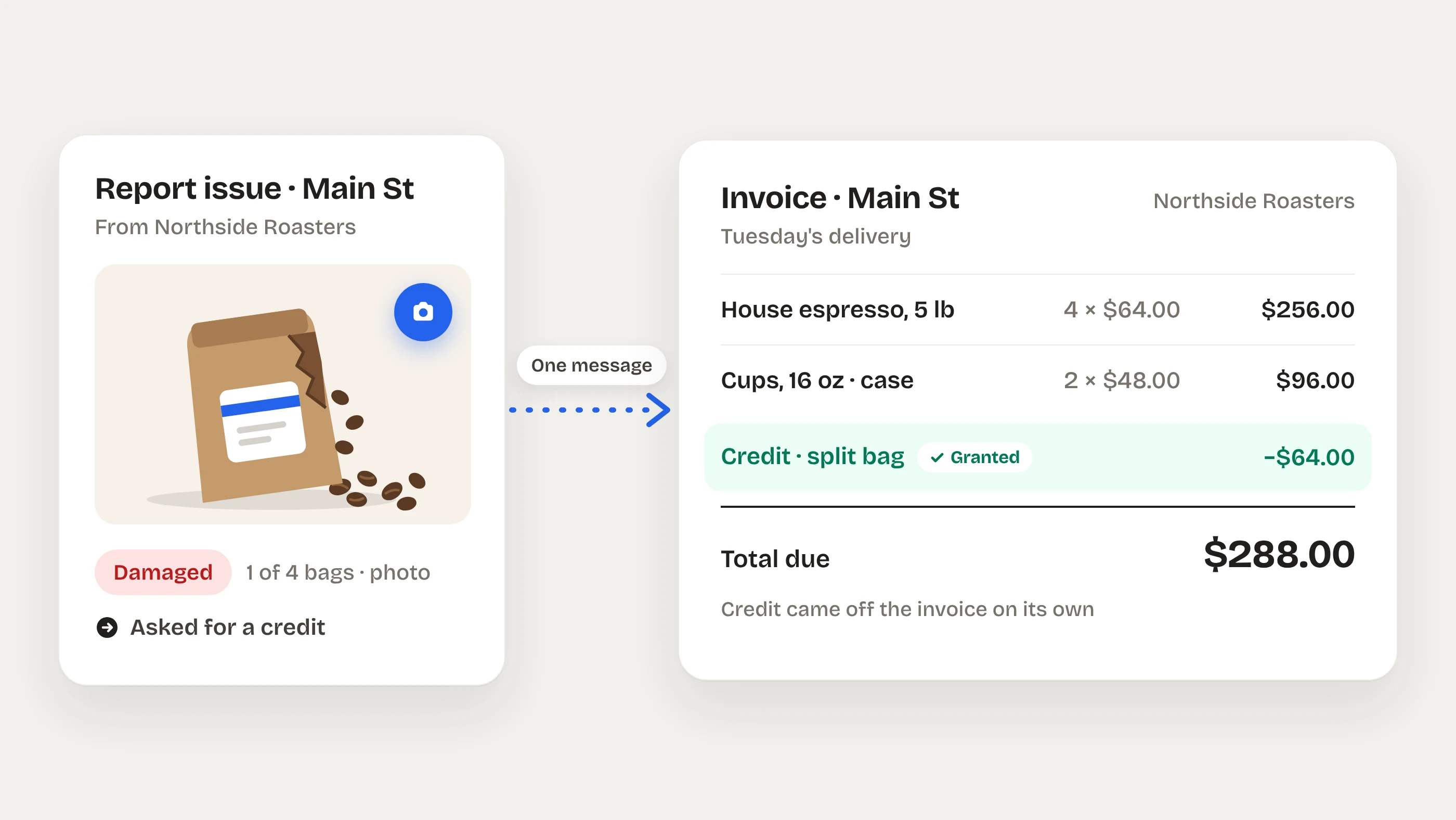
A split bag becomes a credit
The café reports it with a photo and asks for a credit. Grant it and it comes off the invoice.
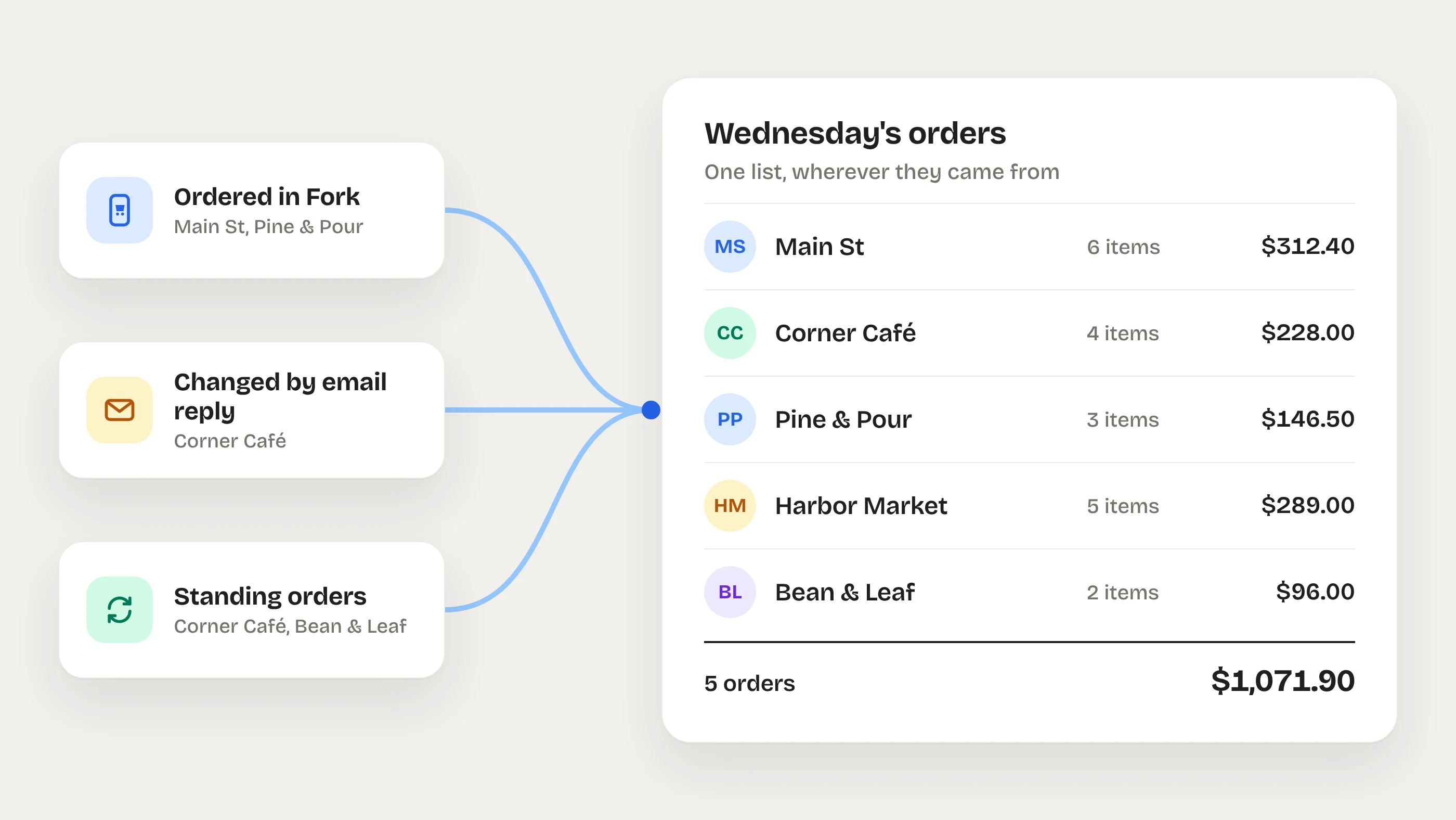
Every order in one list
Orders placed in Fork and standing orders side by side, with each customer's email replies in their chat.
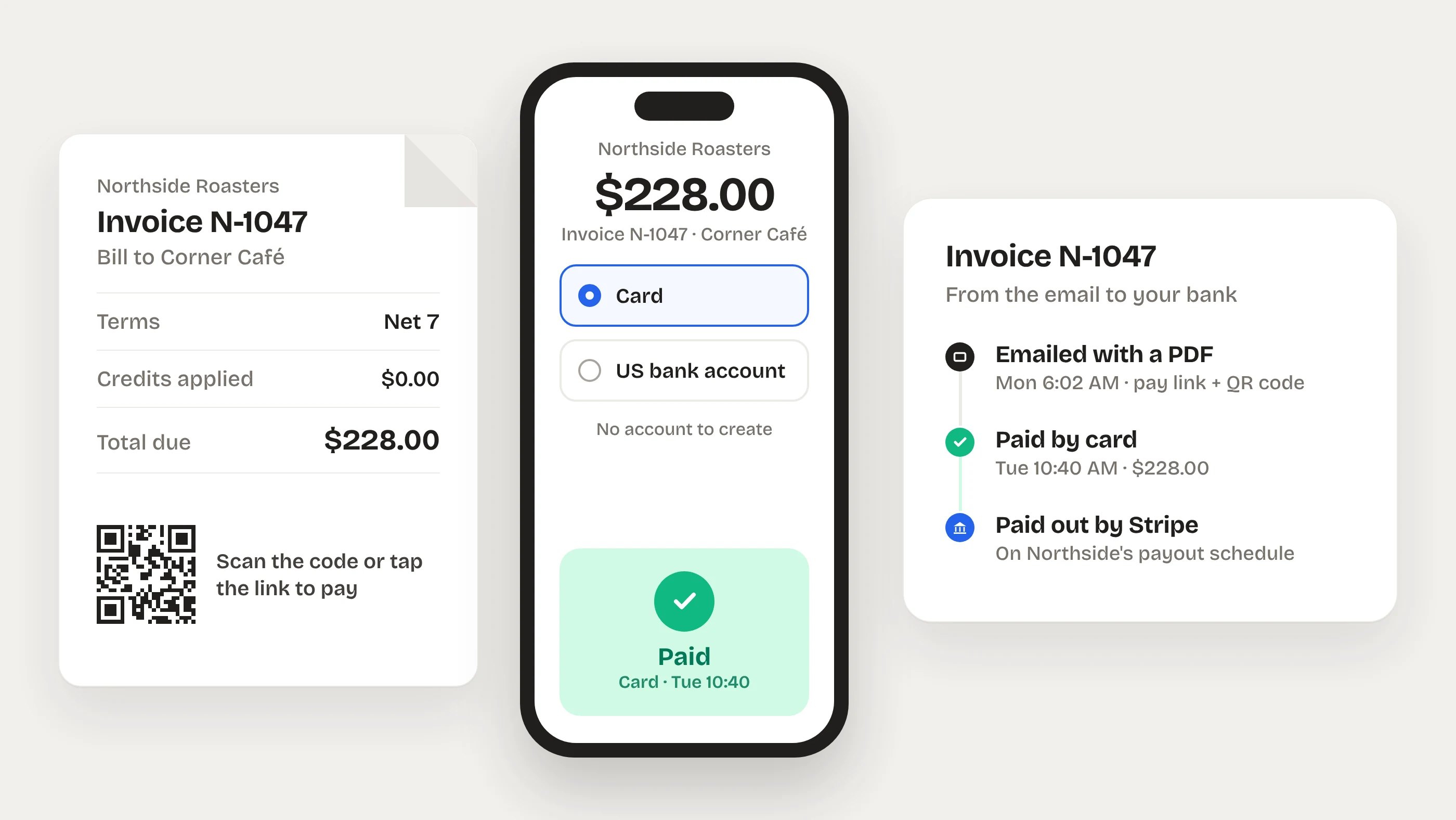
Paid from a link
Card or US bank transfer, from the emailed link or the QR code on the PDF. No account to create. Stripe pays it out to your bank.
Pricing for food distributors and commissaries
Start free. Add the team tools when ready. 30-day money-back guarantee.
Free
No card needed- Catalog, customers, orders
- Invoices with card and bank payments
- Delivery routes
- Customer chat with email bridge
Essential
Essential and up- Driver and warehouse schedule
- GPS and kiosk time clock
- Team chat and announcements
- Stock counts with par levels
0.5% platform fee plus Stripe processing on online payments. No fee on invoices settled outside Fork.
Start with EssentialFood distributors and commissaries ask us
Anything else: support@forkhr.com
Take your first order through Fork this week
Free to order and sell. Team plans from $39 per location.
- Free plan, no card
Ordering, selling, invoices and routes, free for good.
- Unlimited employees
One price per location. Everyone who works there is included.
- 30-day money-back guarantee
On every paid plan. Cancel anytime, your data stays.
- On every phone
iOS and Android for the team, the web and a kiosk for the shop.